Plans & Billing
Free, Pro, Max, Ultra, Pay-As-You-Go, payments, and teams
Plans & billing
Plans at a glance
| Free | Pro | Max | Ultra | Pay As You Go | |
|---|---|---|---|---|---|
| Price | $0 | $10/month | $20/month | $69/month | $0/month + usage |
| Messages | 10/day · 40/week | 40/day · 180/week | 100/day · 450/week | 250/day · 1,200/week | no daily cap — pay per use from your wallet |
60+ AI models (chat, image, video, audio) from 13 providers
Access depends on your plan. The in-app comparison shows current prices, model lineups, and plan credits; subscription usage is also subject to the plan's compute budget.
To upgrade, click the Upgrade button (sparkle icon near your avatar, or on the Billing page):
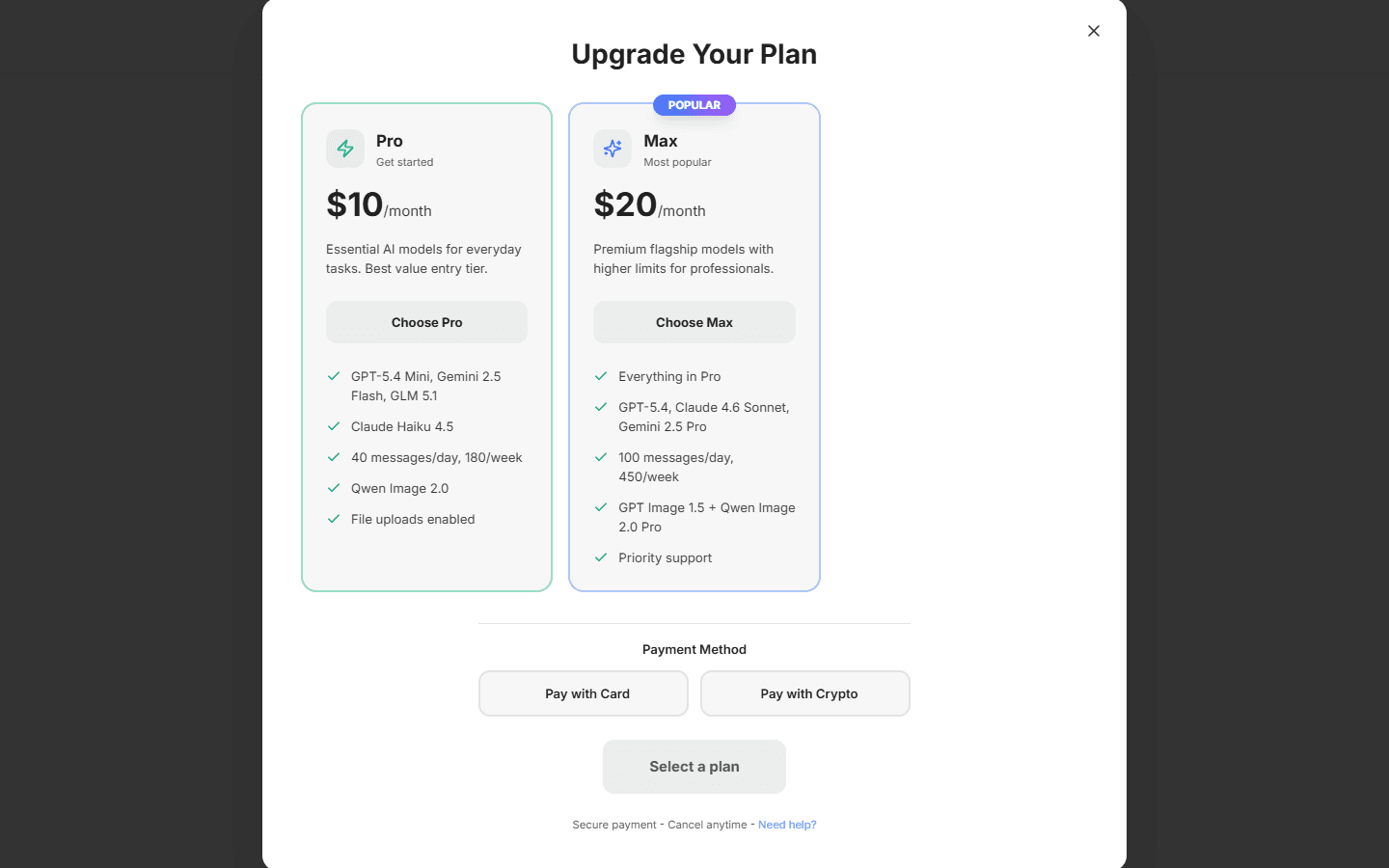
Usage & billing page
Account menu → Usage & billing opens your billing dashboard:
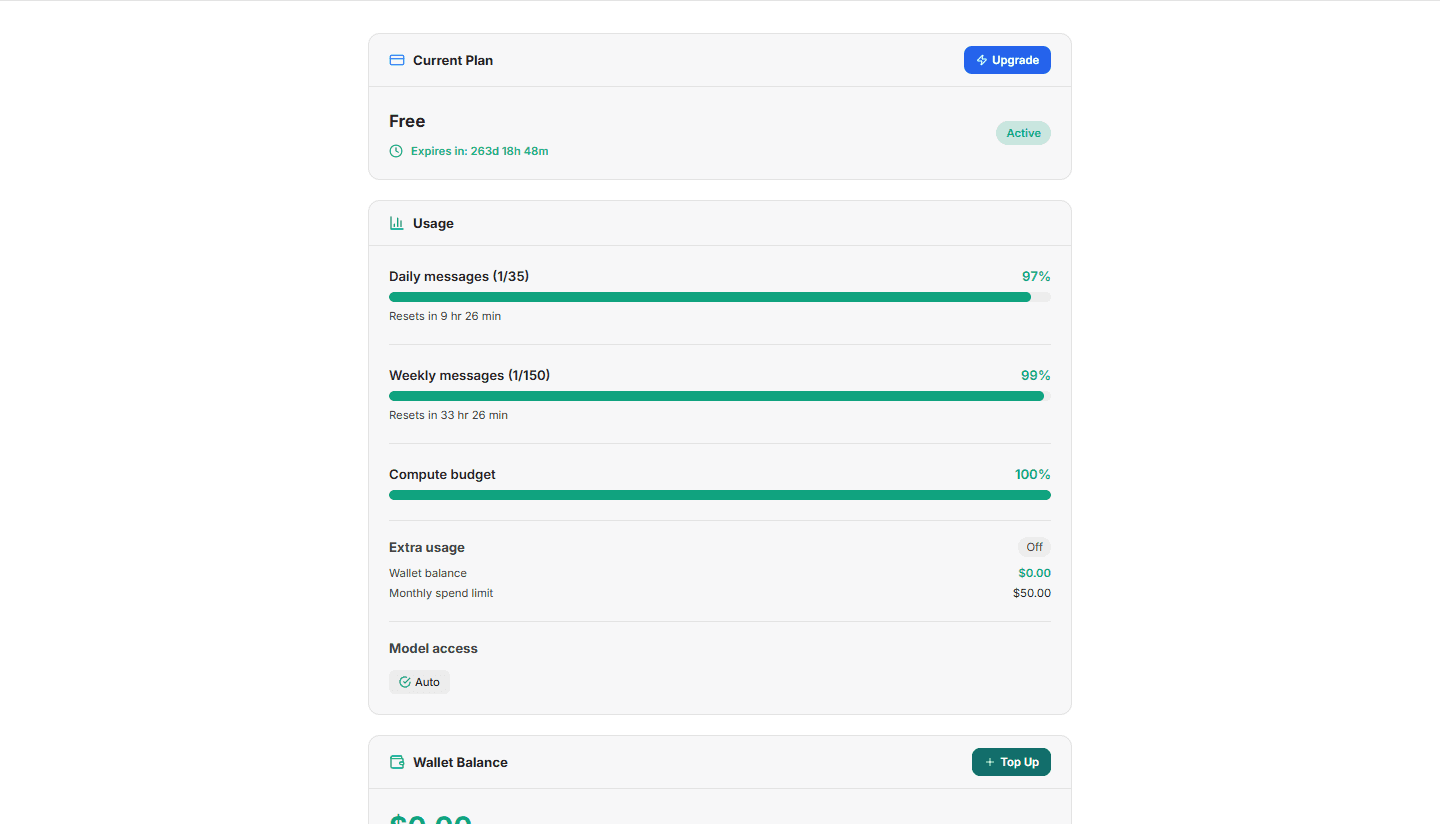
- Current Plan — plan name, status, renewal/expiry countdown; upgrade, cancel, or renew early.
- Usage — live daily and weekly message meters (with reset timers), compute budget, and the models your plan currently unlocks.
- Wallet Balance — your Pay-As-You-Go credit, with Add credits.
- Payment History — every payment with invoice links. Full invoice management lives in the Aize Platform.
The wallet & extra usage
Your wallet is a USD credit balance used for Pay-As-You-Go:
- On the Pay As You Go plan, all usage is billed from the wallet — no daily caps.
- On subscription plans, the wallet powers Extra usage: when you approach your daily limit, Aize Chat offers a one-click switch so you can keep working, billed from your wallet instead of stopping. A monthly spend limit protects you from surprises, and you can turn Extra usage off anytime.
You'll see gentle warnings as you approach limits (a "remaining" chip at ~70%, a clearer banner near 100%) — never a surprise stop.
Payment methods
Global payments are in USD. Methods appear when their gateways are configured:
- Credit/debit card (Stripe) — checkout is a one-time payment; renew your plan manually.
- Cryptocurrency (NOWPayments) — manual renewal; confirmation depends on the blockchain.
Wallet deposits have a $10 minimum and a $10,000 maximum per payment. See Wallet & Billing for the deposit steps.
After payment you're returned to the confirmation flow. Wallet credit or plan activation follows payment verification.
Changing or canceling your plan
- Upgrades take effect immediately.
- Downgrades are scheduled for the end of your current period — you keep what you paid for, and you can cancel a scheduled downgrade anytime before it takes effect.
- Cancel keeps your plan active until the period ends; after that you fall back to the Free plan (your chats and data are kept).
Team workspaces
If you belong to a team workspace, the account menu shows a workspace switcher (Personal / Team):
- Personal workspace — your own plan and wallet.
- Team workspace — a shared wallet funded by the workspace; members draw from shared credit instead of individual subscriptions. Members, roles, and invoices are managed in the Aize Platform.
Switching workspaces switches your billing context and conversation list — chats stay separate per workspace.