Connectors
Connect Gmail, Google Drive, GitHub, Slack and more
Connectors
Connectors let the assistant securely use your everyday tools — read your email, search your Drive, check your pull requests, message your team — right from the chat.
Connecting a tool
Open the + menu and hover Connectors:
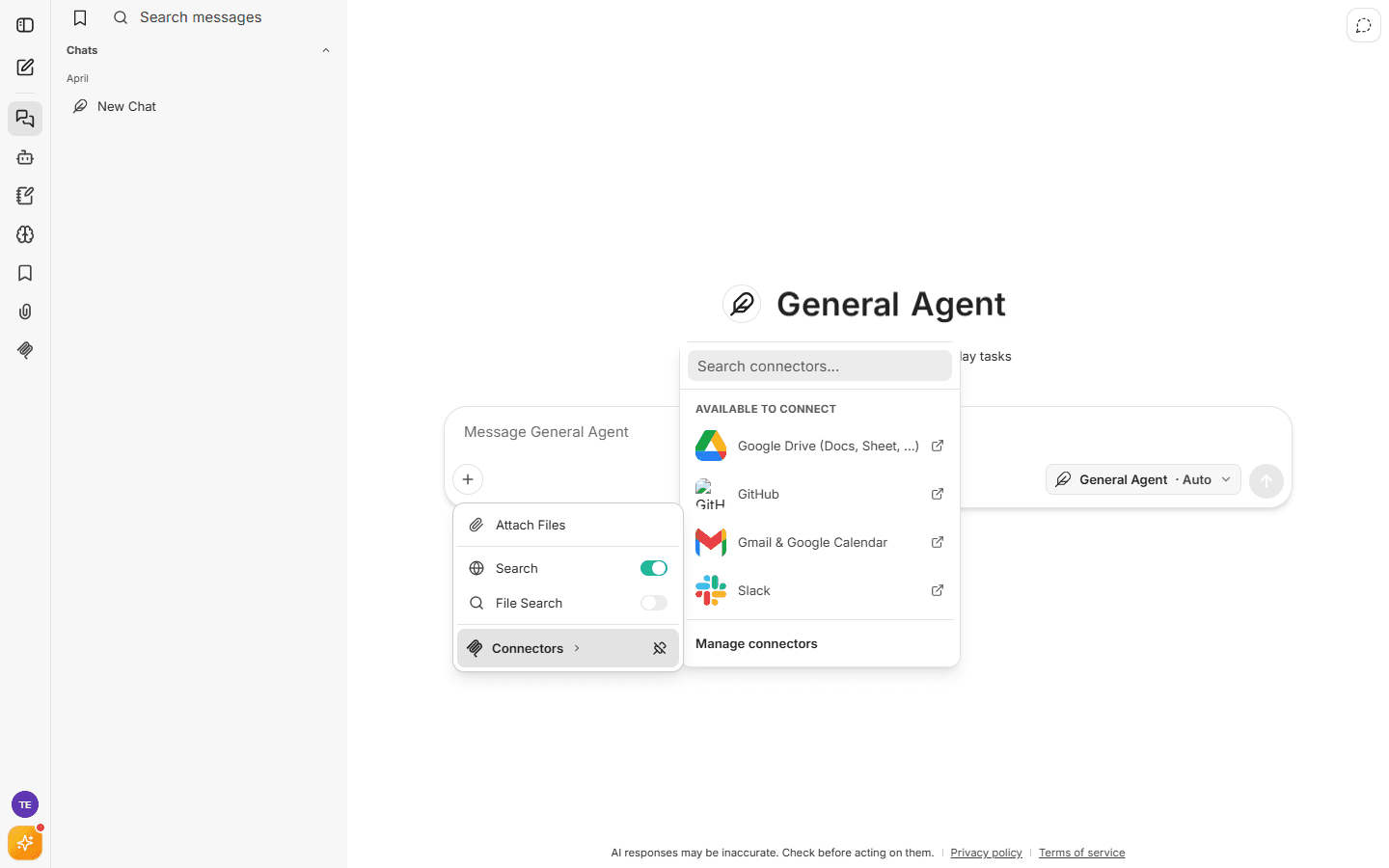
Connectors are listed in two groups:
- Connected — tools you've already authorized, ready to use.
- Available to connect — click one to start a secure sign-in (OAuth) with that service. You approve access on the provider's own page — for example, Google's consent screen for Gmail — and can revoke it there at any time. Aize never sees your password.
Currently available connectors include:
| Connector | What the assistant can do |
|---|---|
| Gmail & Google Calendar | Read, search, and send email; manage calendar events |
| Google Drive (Docs, Sheets, …) | Search, read, and edit your documents and spreadsheets |
| GitHub | Repositories, issues, pull requests |
| Slack | Send messages, search channels |
More connectors (Notion, Linear, Figma, Supabase, and others) are being added over time — the in-app list is always current.
Using connectors in a conversation
Once connected, just ask naturally:
"Summarize the unread emails in my inbox from this week." "Find the Q3 budget spreadsheet in my Drive and list the top 3 line items." "What pull requests are waiting for my review?"
Each connected tool has a per-conversation toggle — "On for this chat" — so you control exactly which tools each conversation can use. Turning a connector on or off in one chat never changes your defaults for other chats.
Managing connectors
+ menu → Connectors → Manage connectors opens the management panel:
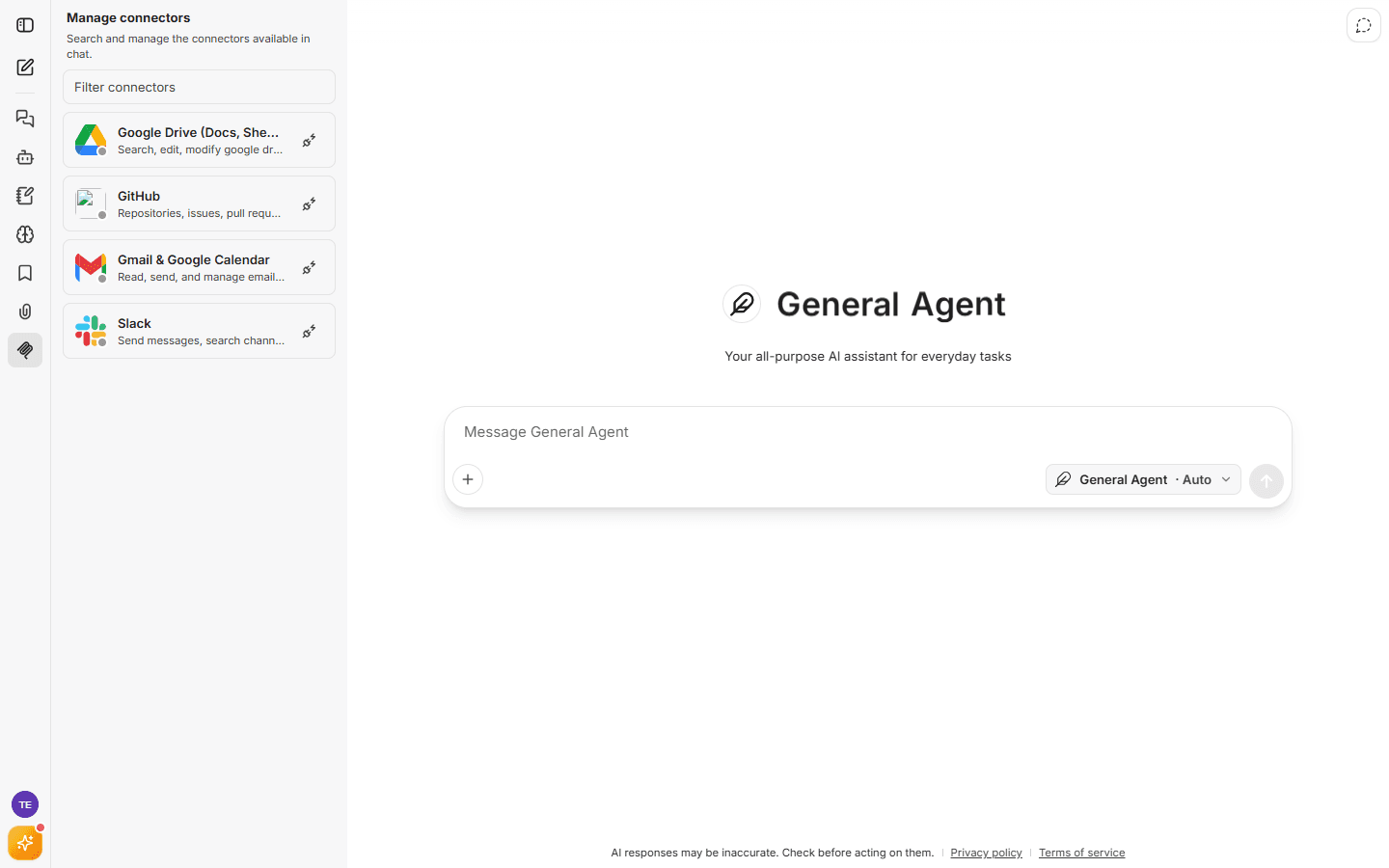
From here you can search the catalog, connect new tools, and reconnect existing ones.
Connector status is always honest:
- 🟢 Connected — working.
- 🟡 Session expired → Reconnect — the provider's sign-in expired; one click to renew.
- 🔴 Connection problem → Retry — something went wrong; retry or reconnect.
Privacy & security
- Access uses the provider's official sign-in (OAuth). You grant specific permissions on the provider's page and can revoke them anytime from your Google/GitHub/Slack security settings.
- Connectors only act when you use them in a chat — the assistant doesn't browse your accounts in the background.
- Connector availability may depend on your plan.