Agents & Models
Built-in agents, the Auto model, and building your own
Agents & models
Aize Chat is agent-first: instead of starting from a raw model, you chat with an agent — an assistant with a purpose — and pick which model powers it.
Built-in agents
Open the Agent · Model chip in the composer to switch:
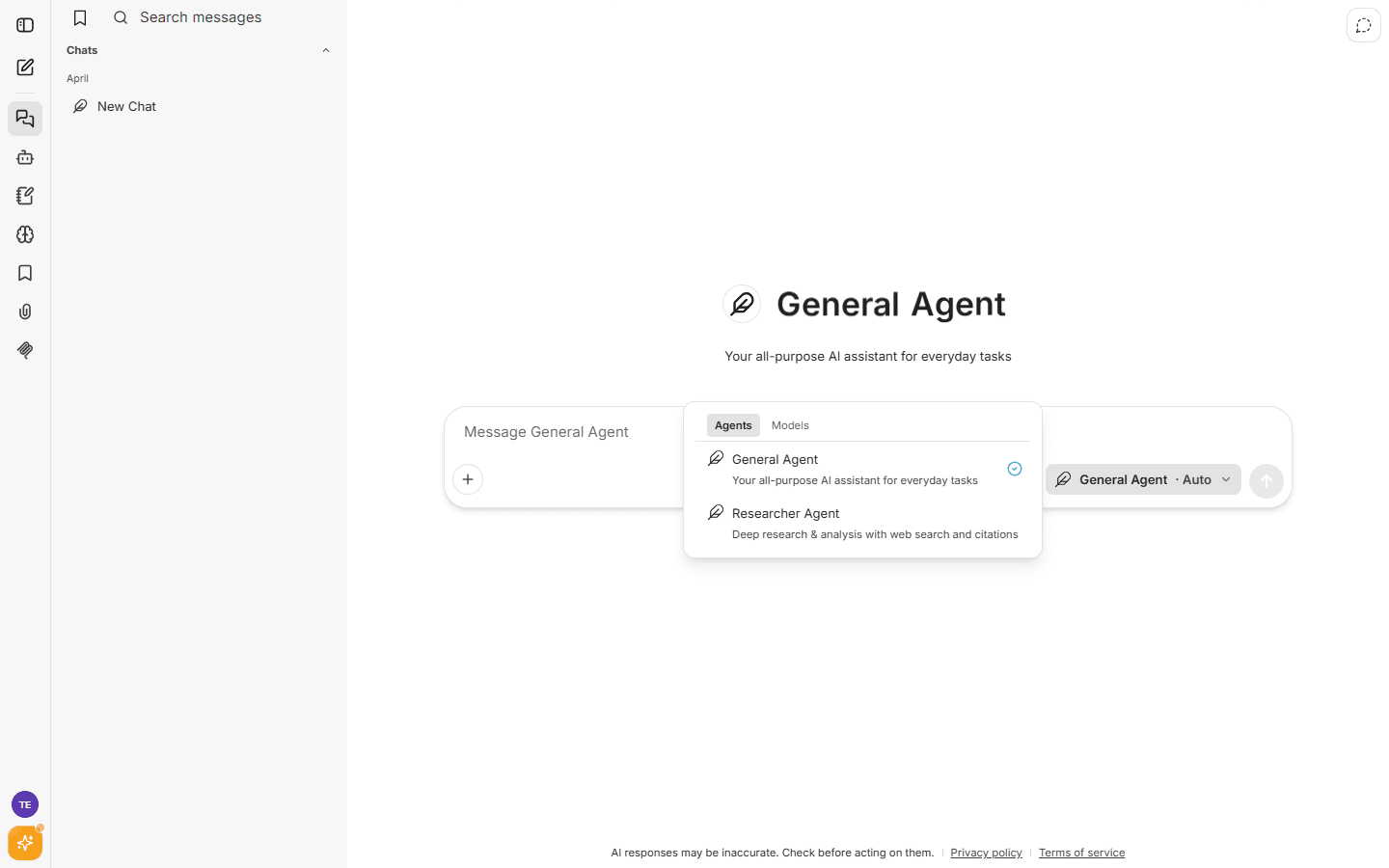
- General Agent (default) — your all-purpose assistant for everyday tasks: writing, analysis, coding questions, planning.
- Researcher Agent — deep research and analysis. It leans on web search and returns answers with citations, so you can verify every claim.
Agents can use tools: web search, file search across your uploads, connectors, and artifacts (interactive rendered outputs like documents and small apps).
The Auto model
Auto is the default model and is included in the Free plan. It automatically routes each conversation to a capable up-to-date model, so you don't have to think about model names. If a provider has an outage, Auto fails over to an alternative automatically.
Choosing a specific model
The Models tab of the picker lists what your plan includes:
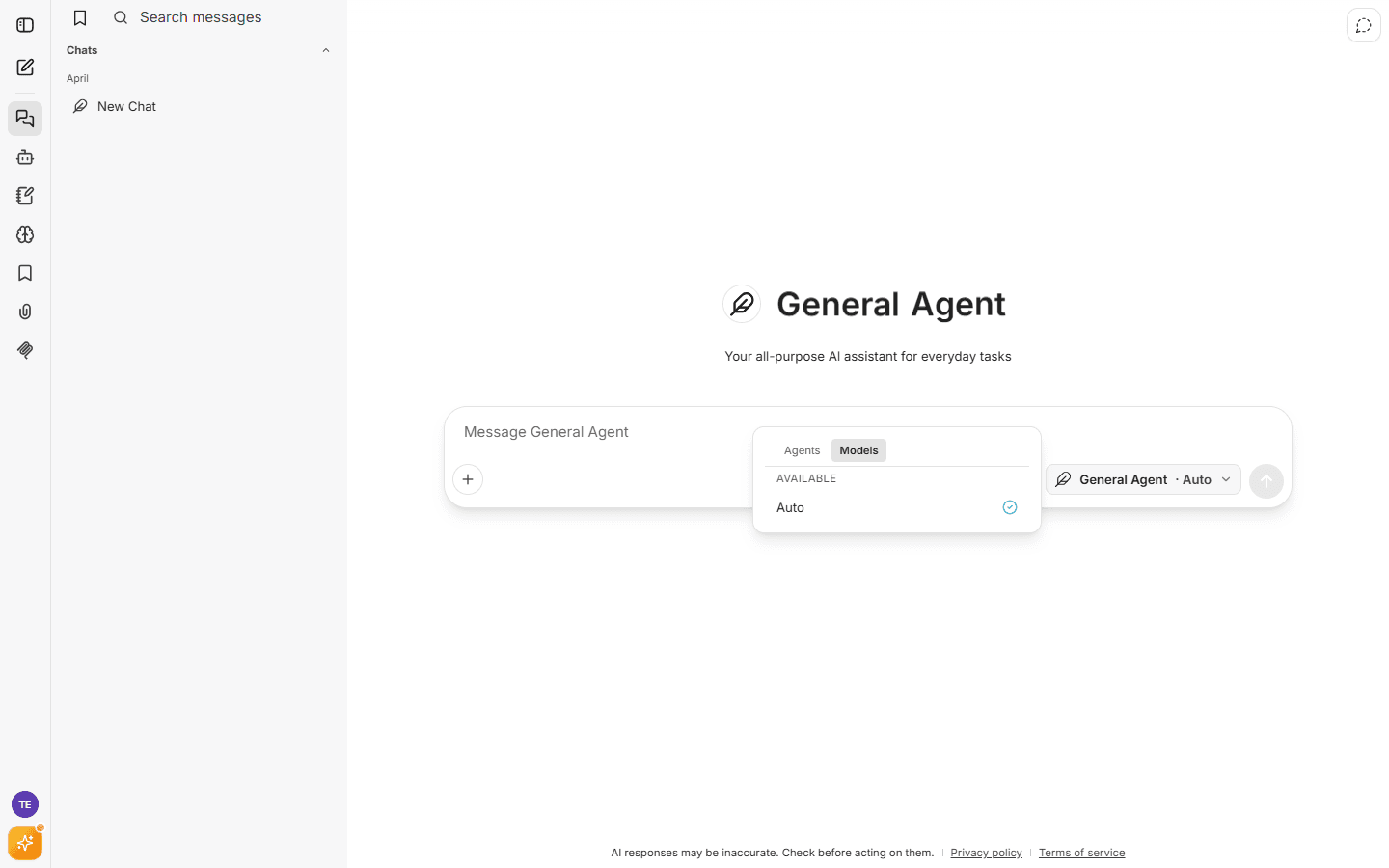
- Available — models you can use right now.
- Upgrade to unlock — models included in higher plans appear with a lock; selecting one shows exactly which plan unlocks it.
The model lineup evolves continuously. As of this writing, paid plans include models from the GPT, Claude, and Gemini families plus strong open models (GLM, Kimi) — see Plans & billing for what each plan unlocks, or open the model picker in the app for the live list.
Model access is per-plan, not per-message credits. Within your plan's daily and weekly limits, you can use any included model freely.
Build your own agent
Open Agent Builder from the left rail to create custom agents:
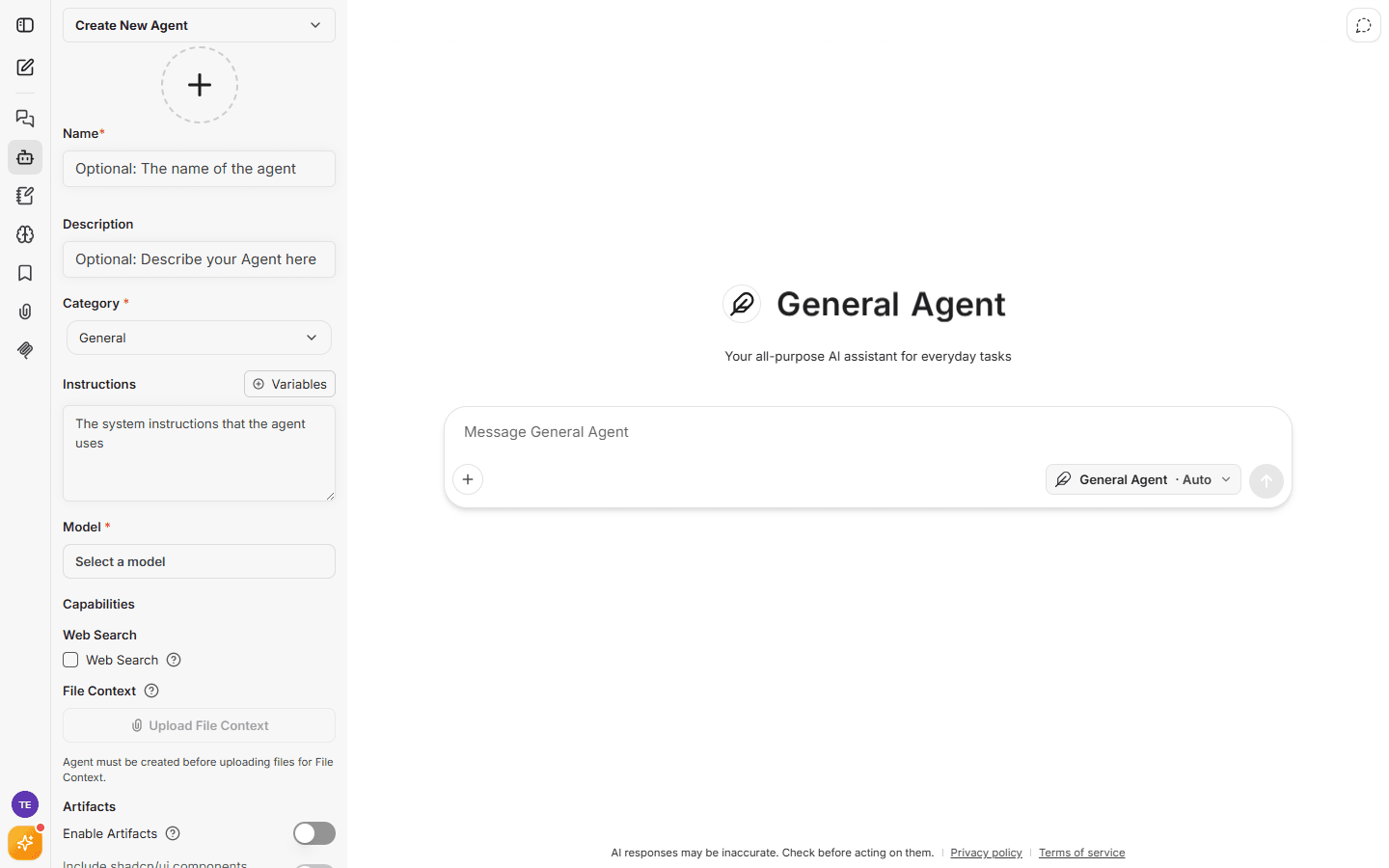
Give your agent:
- a name and description,
- instructions — the system prompt that shapes its behavior (supports variables),
- a model and tool access (web search, file search, connectors, artifacts).
Your agents appear in the agent and model picker alongside the built-in ones. Creating custom agents is available on plans that include the agents feature; using and editing agents you already have is never restricted.